How to Integrate Logistics Software with Legacy ERP
A six-step guide to integrating logistics software with a legacy ERP: methods, data mapping, testing and go-live, for fuel and bulk liquid distributors.
November 2, 2026
How To Guide
Reading time:
9 minutes
Key Takeaways
Pick the integration method your ERP actually supports, not the most modern one. For heavily customised ERPs, middleware calling APIs where available usually beats a pure API build.
Agree which system owns each piece of data before you build. Usually the ERP owns customers and stock, and the logistics platform owns delivery status and proof of delivery. Otherwise you’ll create duplicate records.
An integration isn’t finished until it recovers from failures without creating duplicates. Test outages, partial deliveries and duplicate messages, then reconcile counts and totals daily after go-live.
Last Updated: October 27, 2026
To integrate logistics software with a legacy ERP, start by auditing what the ERP can actually do. Then choose a connection method it supports, agree who owns each piece of data, automate the delivery workflows, test how the integration fails, and monitor it after go-live.
This guide walks through those six steps for fuel, gas and bulk liquid distributors, where delivery data has to reach the ERP quickly and accurately. It also covers how long the work takes and who you need.
Step 1: Assess Your Legacy ERP and Define Integration Requirements
Start with an audit, not a purchase order. Before you touch a connector, document what your legacy ERP does today.
Build a system inventory
Which ERP version and modules are live, such as order management, inventory and procurement?
Where does master data live: customer records, item codes and price lists?
Which interfaces already exist, such as flat-file exports, scheduled jobs or custom scripts?
Who owns each system, and who signs off on changes?
Then write your integration requirements in plain language. For a fuel or bulk liquid distributor, that usually means real-time order status, automated proof-of-delivery capture and inventory visibility across depots. Write each one as a statement you can test, for example: "A confirmed delivery must update ERP stock within minutes of field capture."
Ask your ERP vendor for technical documentation and any existing integration points before you scope anything. Older systems often have batch jobs or staging tables that already do half the work.
Step 2: Choose Your ERP Integration Method: API, Middleware or EDI
There is no single best method. The right choice depends on your ERP version, your transaction volume and how much change your IT team can absorb.
Here is how the main options compare for older ERPs.
ERP integration methods compared
Method
Best for
Legacy ERP trade-off
REST API or OData
Modern or recently upgraded ERP with supported endpoints
Older versions often lack endpoints or expose only some objects, so you may need vendor add-ons or custom wrappers
Middleware or iPaaS
Multiple systems, complex routing and data transformation
Adds a layer to license, monitor and maintain, and needs mapping work upfront, but isolates legacy quirks
EDI
High-volume, standardised partner and freight transactions
Rigid formats and slow to change when business rules shift, but often the only option when the ERP has no API
File transfer (CSV, flat file, scheduled export)
Batch-oriented legacy ERPs with no API and no middleware budget
Simple to build but fragile, so it needs strict file naming, checksums and reconciliation to avoid silent failures
Database connector or staging table
ERPs where the vendor permits direct read and write to staging tables
Fast to implement but risky, because it bypasses business logic and can corrupt data if not tightly governed
A REST API or OData connection works well when your ERP supports it. It gives near real-time data exchange and is simpler to monitor.
Middleware sits between your systems and handles data mapping, retries and queuing. It adds something to maintain, but it isolates the ERP from change.
EDI remains the standard for freight and trading-partner exchange. It is reliable but rigid. If your ERP already speaks EDI, extending your existing maps is often faster than building new APIs. File transfers and database connectors are fallbacks for ERPs with no modern interface.
A common mistake is choosing the most modern method instead of the most compatible one. For a heavily customised ERP, middleware with API calls where available often beats a pure API build.
Bestrane Edge is built to sit alongside your existing ERP and routing systems, not replace them. See Edge integrations for how it connects.
Step 3: Build Your ERP Data Mapping Template and Decide System of Record
An ERP data mapping template is a spreadsheet that lists every field moving between systems: where it comes from, where it goes and how it changes on the way. Build it before anyone writes code.
Field-Level Mapping: Customers, Orders, Inventory and Shipments
Map at the field level, not the document level. For each field, record:
Source system and field name
Target system and field name
Data type and format, such as dates, units and codes
Whether it is required or optional
Any transformation rule, such as trimming, uppercase or unit conversion
Start with customer records, orders, inventory and shipments. Include barcode and shipment tracking identifiers where your logistics software uses them. For bulk liquids, agree units early (litres, gallons or kilograms) and how meter readings convert, since unit mismatches are an easy way to end up with wrong stock figures.
System-of-Record Decisions That Prevent Duplicate Records
Every field needs one owner. Decide which system is the system of record for each type of data, and write it down.
Customer master: usually the ERP
Delivery status and proof of delivery: usually the logistics platform
Item and stock levels: the ERP, unless your warehouse management system holds live counts
Duplicate records appear when two systems both think they own a field. Settle ownership in the mapping document, then enforce it in the integration logic.
Watch out: skipping system-of-record decisions is a common cause of duplicate customer records after go-live. Agreeing ownership upfront is far quicker than cleaning up afterwards.
Step 4: Automate Shipping, Fulfilment and Field Data Capture Workflows
Automation is where integration pays back. Once data flows cleanly, you can take manual entry out of shipping and fulfilment. Start with these workflows:
Order generation: confirmed orders flow from the ERP to the logistics software without re-keying.
Shipment creation: the platform builds shipments and manifests from order data.
Field data capture: drivers record deliveries, quantities and signatures on a mobile device.
Proof of delivery: captured data posts back to the ERP and customer records automatically.
Notifications: customers get delivery updates triggered by real status changes.
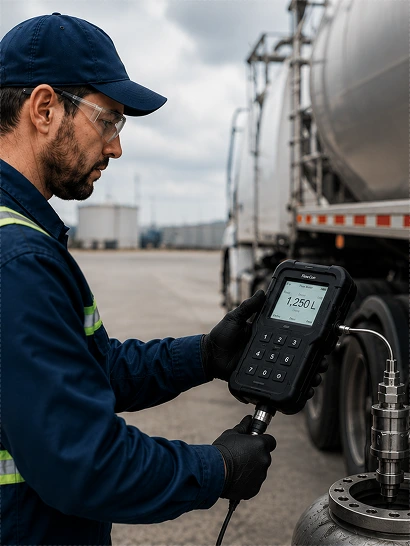
For fuel, gas and bulk liquid operations, field data capture matters most. Paper forms create delays and errors. A platform that captures data digitally and syncs it to the ERP removes both.
This is the layer Bestrane Edge focuses on. Edge Orders handles order generation and forecasting. Edge Capture connects the driver mobile app to meters, scales and sensors to record delivery actuals, compliance data and proof of delivery. Both work alongside your existing ERP and routing systems.
Step 5: Use an ERP Integration Testing Checklist Before Go-Live
An ERP integration testing checklist is a written set of scenarios every interface must pass before production. Test with real data, not samples, and test in a sandbox that mirrors production configuration as closely as possible.
Pre go-live checks
9 checks
Create a test order in the ERP and confirm it appears in the logistics software
Capture a delivery in the field and confirm the ERP updates
Test a partial delivery and a failed delivery
Confirm barcode scans map to the correct item codes
Verify inventory adjustments post correctly
Check duplicate handling when the same message arrives twice
Test with the network down, then confirm recovery
Confirm timestamps and time zones align between systems
Verify that rejected records land in an exception queue, not a silent void
Reconciliation, Failure Recovery and Duplicate Record Handling
Plan for failure before it happens. Every interface needs a reconciliation report that compares record counts and key totals between systems daily. A common pattern is to reconcile at three levels: record count, key totals (for example, total quantity shipped), and a sample of field-level values.
For failure recovery, define
How failed messages are queued and retried, including retry limits and backoff intervals
Who is alerted when a sync fails, and through which channel
How to replay a batch without creating duplicates
How to roll back a partial load if a batch fails midway
Where rejected records are held for review, and who owns that queue
Use idempotent message handling so the same order or shipment cannot be posted twice. Test this deliberately by resending messages during testing, including out-of-order delivery and duplicate delivery. A common pattern is to assign each message a unique key and have the receiving system reject or ignore keys it has already processed.
Exception queues matter as much as the happy path. When a record fails validation, for example because of a missing customer code, an unknown item or a malformed date, it should land in a queue with enough context for an operator to fix and resubmit it.
Key Takeaway The integration is not finished when data flows. It is finished when you can prove it recovers cleanly from failure without duplicates.
How Long Does ERP Integration Take? Timelines and Resources
Timelines vary widely with the age of your ERP, how customised it is and how many systems are involved. A single well-documented interface can take a few weeks. A heavily customised ERP feeding several systems can take several months. Data standardisation often takes longer than the technical connection itself.
Plan around four roles:
An ERP specialist who knows the legacy system's quirks
An integration developer for API, middleware or EDI work
A logistics operations lead to define workflows
A data owner for mapping and reconciliation sign-off
Cost depends mainly on the connection method, the number of interfaces, how customised the ERP is, and whether you build in-house or use a vendor platform. Scope the work in phases: connect orders first, then field data, then reporting. Each phase delivers value and reduces risk.
Step 6: Secure the Integration and Plan Post-Launch Monitoring
Security and monitoring are not afterthoughts. They protect data integrity and keep the integration healthy long after launch.
Apply these controls
Restrict access by role, with least-privilege permissions
Encrypt data in transit and at rest
Log every data exchange for audit
Rotate credentials and API keys on a schedule
Review access whenever staff change roles
After launch, track sync success rates, error counts and reconciliation gaps, and set alerts so failures surface before customers notice.
A regular review cadence helps. Bestrane Edge's Premium Service Bundle gives you ongoing access to logistics specialists and proactive workflow configuration, which suits teams that want expert support after go-live rather than a set-and-forget tool.
If you operate in a regulated sector such as healthcare or hazardous fuel delivery, confirm your audit logging and proof-of-delivery records meet your compliance obligations. The integration should make compliance reporting easier, not harder. Read more about security and compliance at Bestrane Edge.
Where To Start
Start small. Audit the ERP, agree who owns each field, and connect orders first. Field data and reporting can follow once the first interface is stable.
If you want to see how this works with an ERP like yours, book a demo.
You can also read how Lilydale Instant Lawn approached order integration with Bestrane Edge, or take the Paper Docket Audit to see where manual data capture is costing you time.
Frequently Asked Questions
Should logistics software connect to a legacy ERP through an API or middleware?
It depends on what your legacy ERP exposes. If it has REST API or OData endpoints, a direct API connection is the cleanest path and keeps data close to real time. If it does not, or if you need to connect several applications at once, middleware is usually safer because it isolates the ERP from change and handles retries and transformation. EDI remains the practical choice for trading-partner documents like orders and shipment notices. Many operations use a mix of all three.
What data should be synchronised between logistics software and an ERP?
At a minimum, customer records, orders, inventory levels, shipment status and proof-of-delivery confirmations. Decide which system owns each field before you build anything. In most setups the ERP stays the system of record for customers, pricing and financial postings, while the logistics platform owns route plans, field captures and delivery events. Keep the mapping template explicit about direction and frequency so manual data entry does not creep back in.
How do you test a logistics ERP integration before going live?
Run a structured ERP integration testing checklist: unit tests on each field mapping, end-to-end order-to-delivery scenarios, volume tests at peak load, and failure injection to confirm retries and alerts work. Include reconciliation checks that compare record counts and totals between systems, and test duplicate handling by replaying the same message twice. Give warehouse and field staff a pilot window with real shipments before full cutover, and keep a rollback plan ready.
How long does ERP integration take for a mid-sized fleet?
A single well-documented interface between a logistics platform and a legacy ERP can take a few weeks. A heavily customised ERP feeding several systems, or a multi-site rollout, can take several months. Plan for discovery, build, testing and a pilot phase, and expect data standardisation to take more time than the technical connection.